 Piano Coach
For piano learners
Practise with a coach that listens
Open a piece, play it on your own piano, and Piano Coach hears every note, chords included. Then it shows you exactly which bars need work. It all runs in your browser, and nothing is uploaded.
Free while in early access. No account needed.
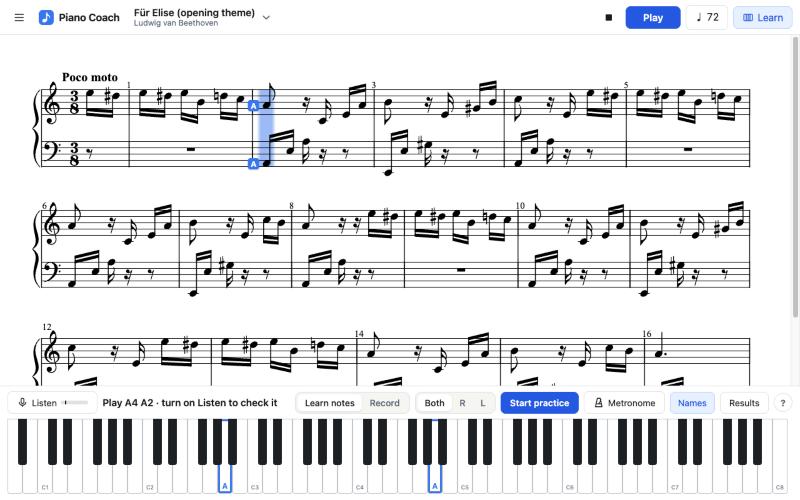
It hears your piano
Through the microphone, it recognises single notes and chords. In testing it found 53 of 56 notes in a chord test, and it accepted none of the wrong ones.
It tells you how it went
Record a run and get scores for notes, rhythm and steady tempo, with every bar coloured green, amber or red.
It stays on your device
Your pieces, recordings and results stay in your browser. Nothing is sent anywhere.
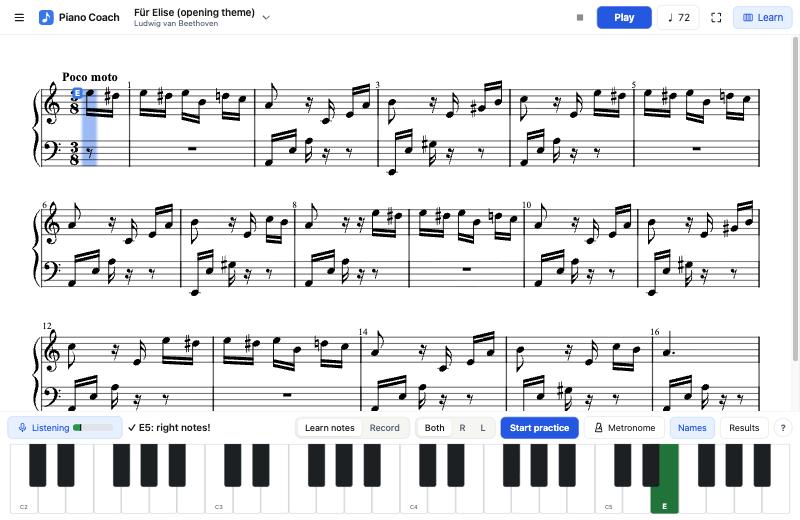
Find the note, play it, see it turn green
In Learn mode the notes to play are named on the sheet and outlined on the keyboard. When you play the right one, its key turns dark green. Take your time: it waits for you.
Play it through. Then see exactly what happened.
Press Record and play at your own pace. Afterwards, Basic Pitch, a small model that runs on your device, listens back to the whole recording and lines it up with the music. A clean run of Für Elise scored 99% with nothing flagged. You also get the three worst spots, a button to practise each one, and your recording to play back.
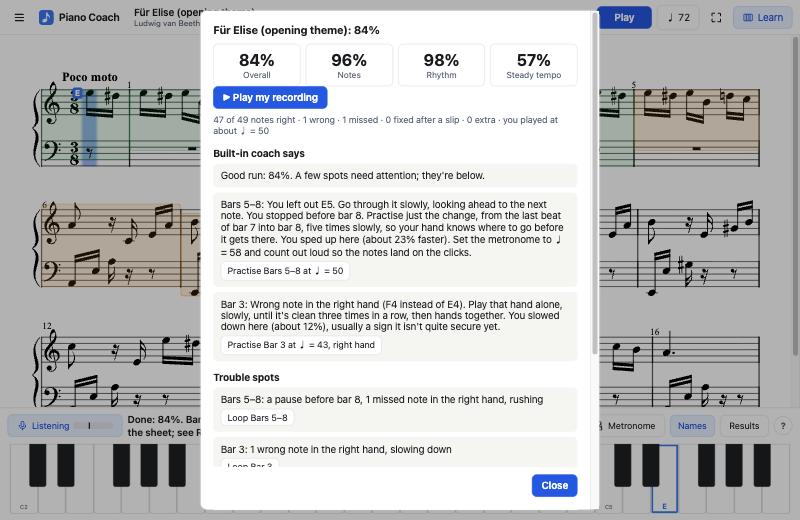
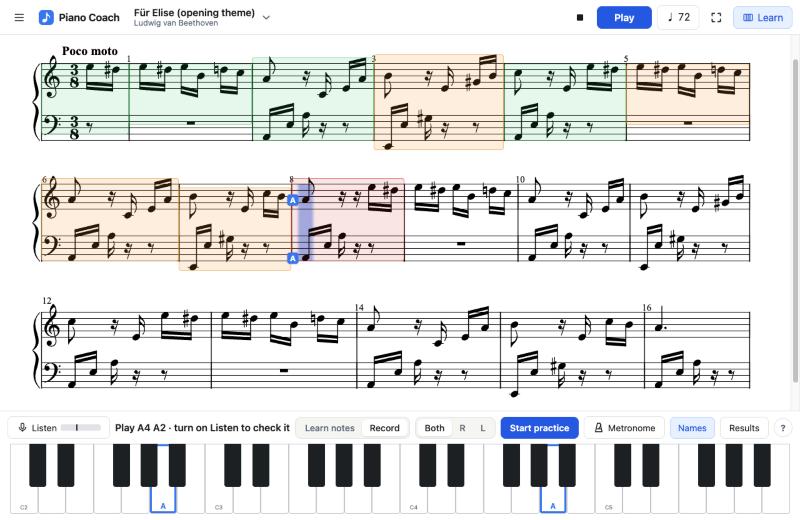
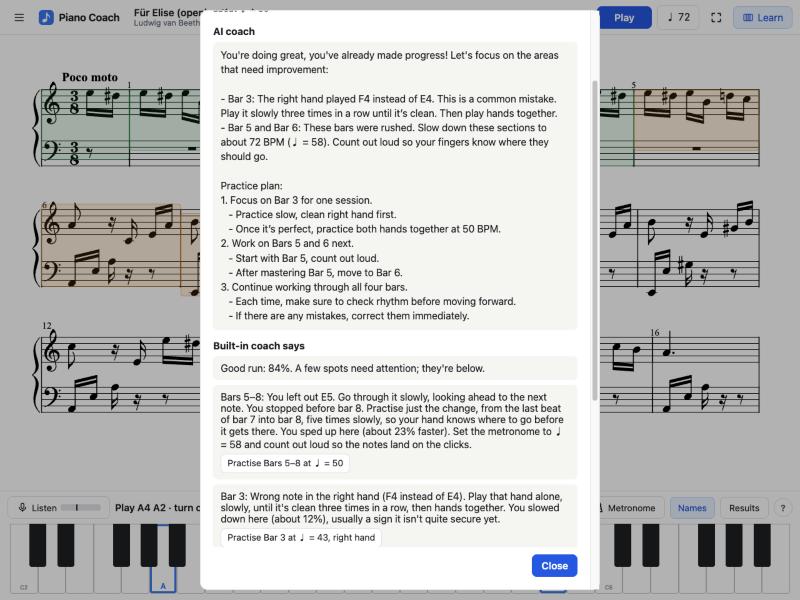
Advice from an open-source coach on your device
Turn it on for personal tips and a practice plan. It's an open model that runs in your browser: under 1 GB, downloaded once, then ready in seconds. It needs WebGPU (a recent Chrome or Edge on a computer). It's a small model, so now and then a sentence may be off; the built-in coach's tips are always there too.
Bring your own music
Import MusicXML or MIDI files. Each bar is checked, and anything that doesn't add up is marked in red. Looking for a favourite song? MuseScore.com has piano arrangements of thousands of pieces to download as MusicXML (.mxl) or MIDI.
*Reading PDFs needs the free Audiveris program on your own computer, so it doesn't work on this website yet.
How it works
- Set up at the pianoPut your laptop or iPad on the music stand.
- Open a pieceChoose one, or import your own.
- Learn, then recordGo note by note, then play it through for a report.
Free while in early access
Try everything now. We'll say clearly before anything changes.
Questions
Is my microphone recording me?
Only during Record & review, and the recording stays in the page so you can play it back. Listening happens inside your browser, and nothing is sent anywhere.
Where can I find pieces to practise?
MuseScore.com has piano arrangements of thousands of songs and pieces. Open one, choose Download, then MusicXML (an .mxl file) or MIDI, and import it into Piano Coach from the ☰ menu. MusicXML gives the most exact sheet music. Some downloads need a MuseScore account or subscription; please respect each arranger's terms.
Do I need an account?
No. Your pieces and results are saved in this browser on this device.
Does it work with a digital piano?
Yes, if it plays out loud through its speakers. It listens through the microphone; it doesn't connect over a cable.
What doesn't it judge yet?
Loudness, pedalling, and very fast or dense passages.